The application Koble til hjemme-/fellesområde-appen is pre-installed on all Min UiO-PC computers at UiO.
Note: The app is in Norwegian only.
Follow these steps to connect your home area or shared areas you have access to:
Start typing Koble til hjemme-/fellesområde-appen (or part of the name) in the search box at the bottom of the screen, next to the Windows symbol.
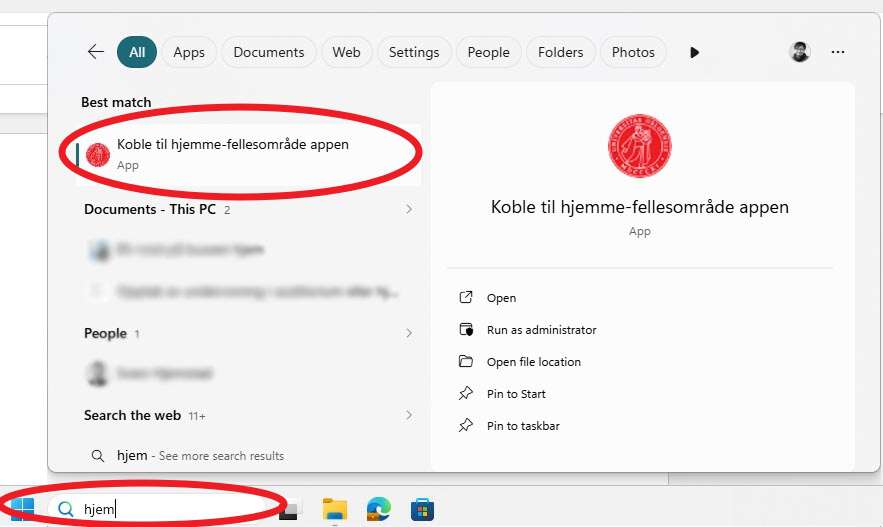
- Select the app in the list that appears while you are typing.
The app opens and checks which network folders you have access to. The folders you have access to are displayed. If you do not see the one you are looking for, contact your nearest supervisor to check that you have been granted access.
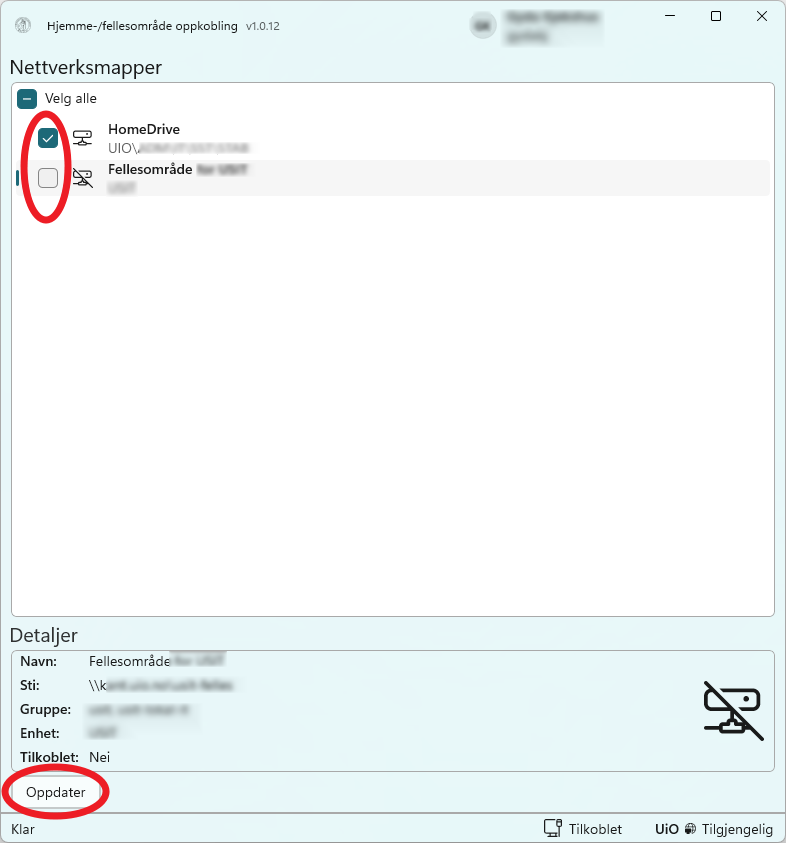
- Select the checkbox for the network folders you want to connect on your computer (or choose Select All to select all). When you have selected the drives you want to connect, click the Oppdater button at the bottom of the dialog box.
The network folders you have selected will now be available in File Explorer and This PC.
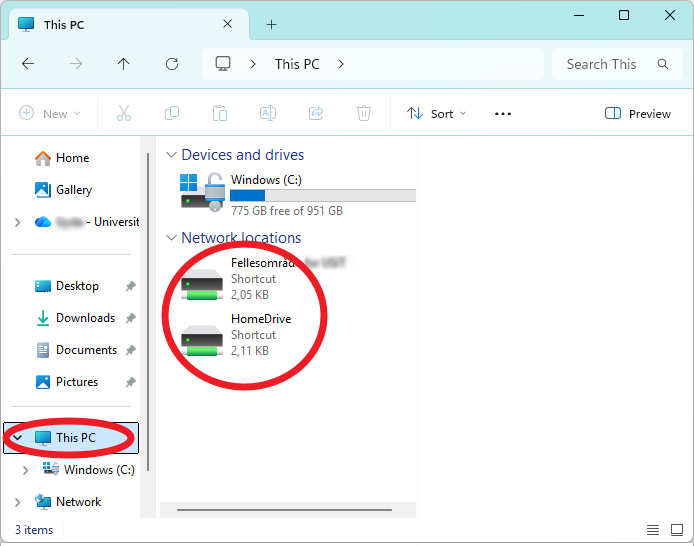
Similarly, you can remove the checkmark for network drives you no longer want to be mounted, and click the Oppdater button.
Call us
Opening hours are weekdays from 08:30 to 17:00 and Saturdays from 10:00 to 15:00.
Phone number: 22 84 00 04
Book a Zoom meeting
Students and employees can book a Zoom meeting with UiO Helpdesk. Available hours are Tuesday to Thursday between 11:00 and 13:00.
Book a video call