Note that Viderekontakt can only be used if you are no longer affiliated with UiO.
How to start using Viderekontakt:
- Go to viderekontakt.uio.no.
- Log in with ID-porten
- If you cannot log in with ID-porten, contact IT help.
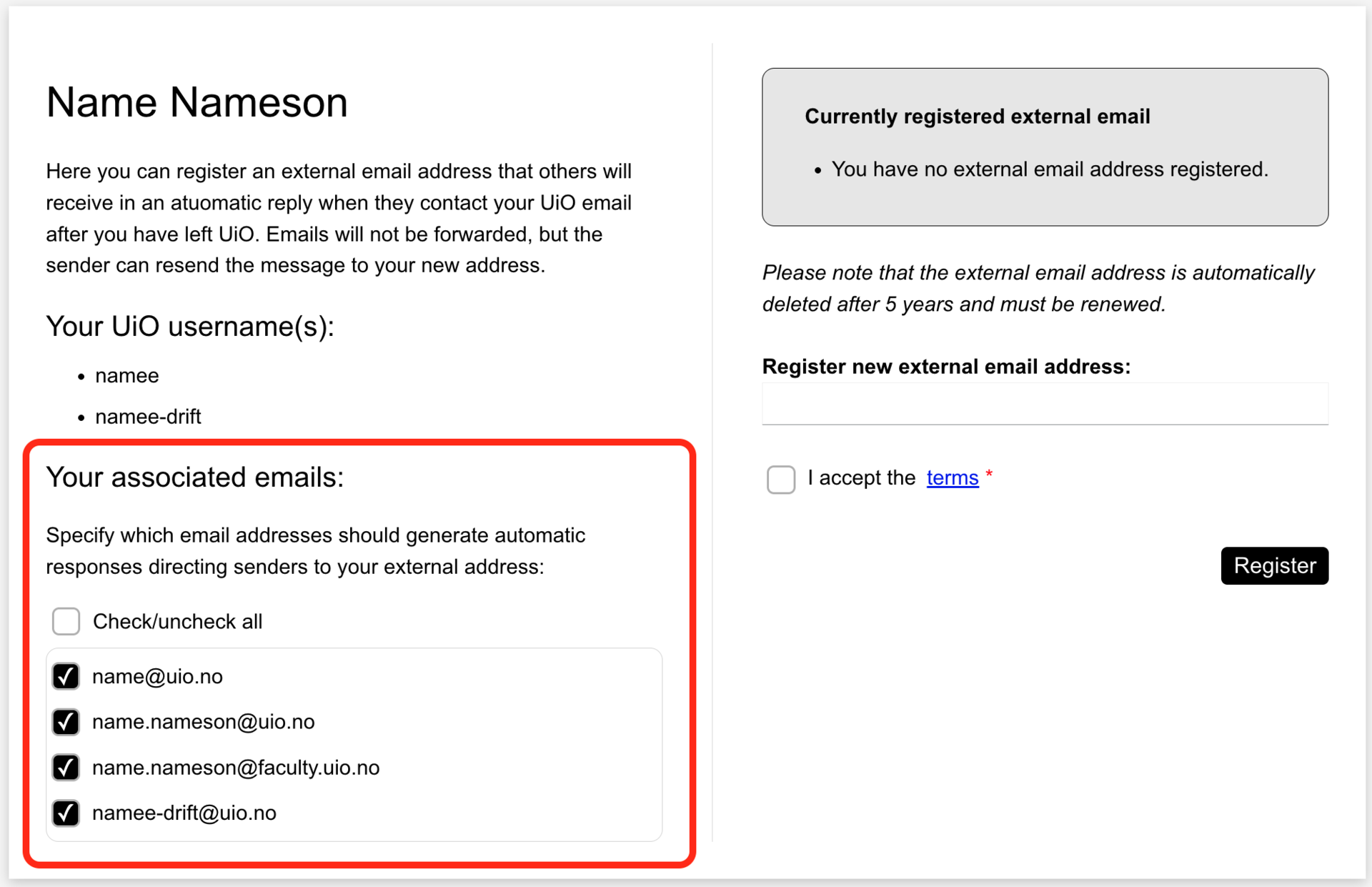
Check the UiO email addresses you want to use Viderekontakt for.
Enter the new external email address where you can be contacted, which will be sent as a reply to those who email your former UiO email address.
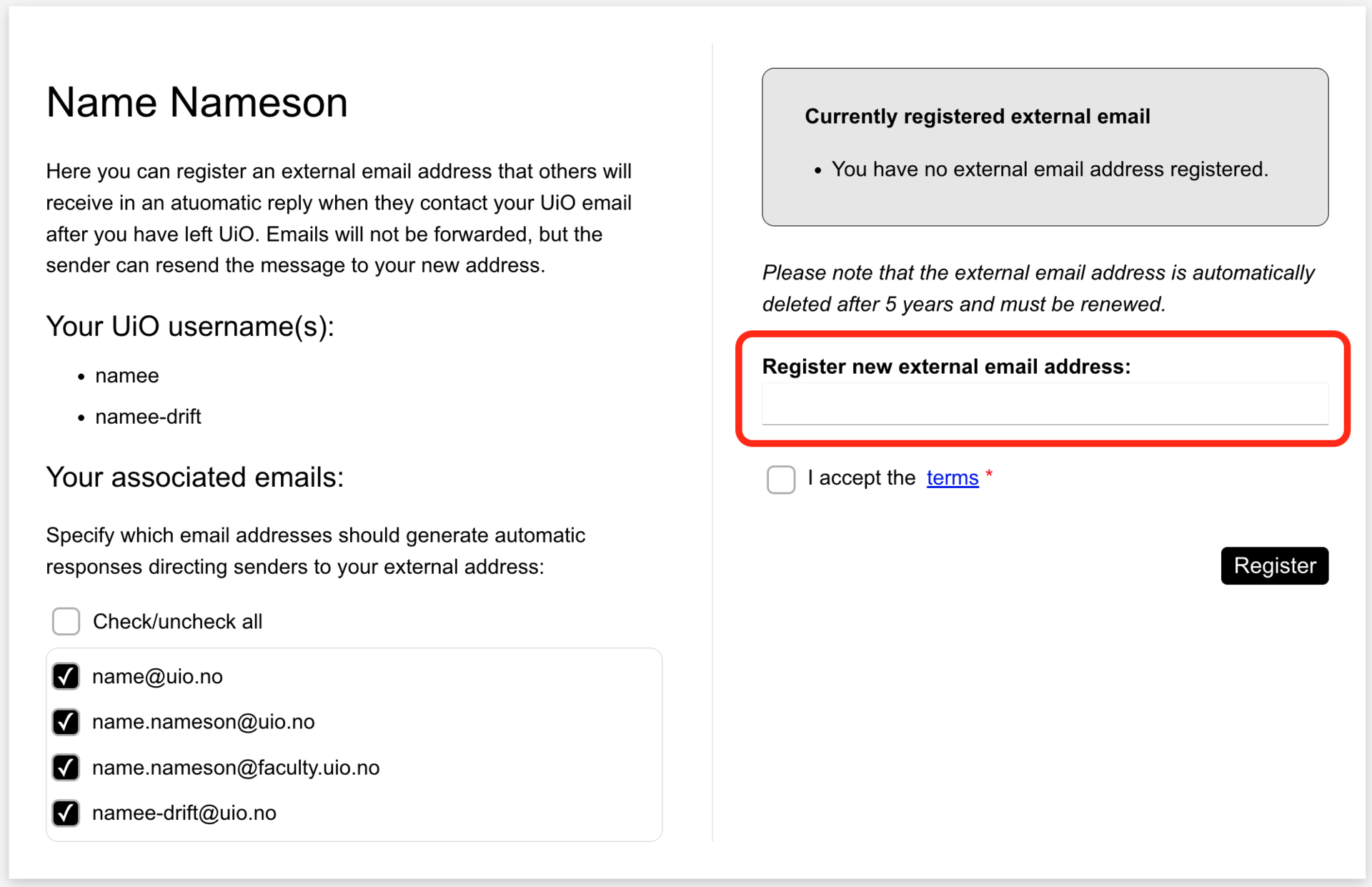
- Accept the terms of use for Viderekontakt.
- Click Register.
Confirm with the verification code sent to the new address you registered.
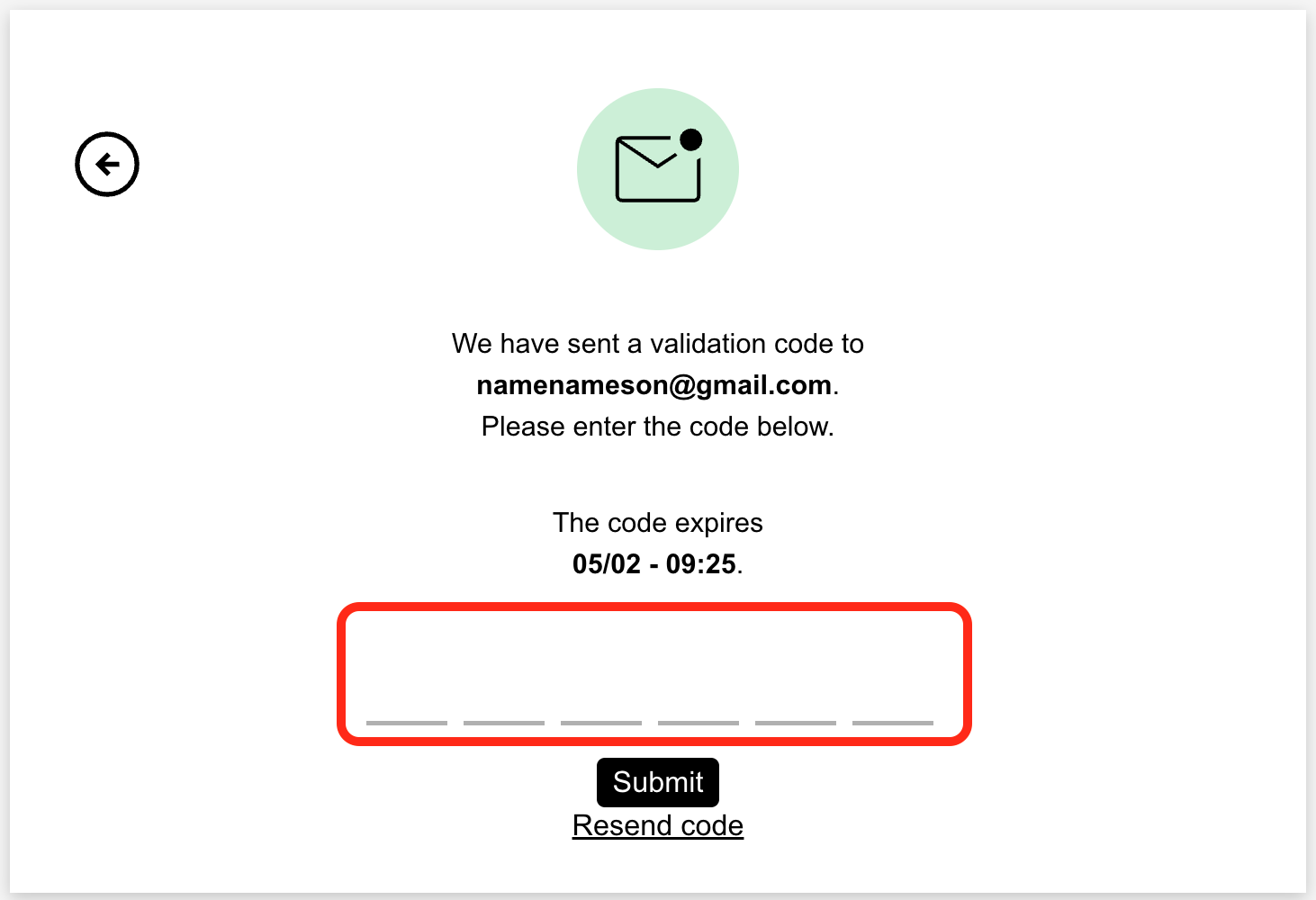
- Complete by clicking Submit.
Once you have completed the setup, the registration will be valid for 5 years. After 5 years, you must renew your consent and register again if you wish to continue using Viderekontakt.
If you want to change the registered email address, you can see how to do it on this page:
Call us
Opening hours are weekdays from 08:30 to 17:00 and Saturdays from 10:00 to 15:00.
Phone number: 22 84 00 04
Book a Zoom meeting
Students and employees can book a Zoom meeting with UiO Helpdesk. Available hours are Tuesday to Thursday between 11:00 and 13:00.
Book a video call