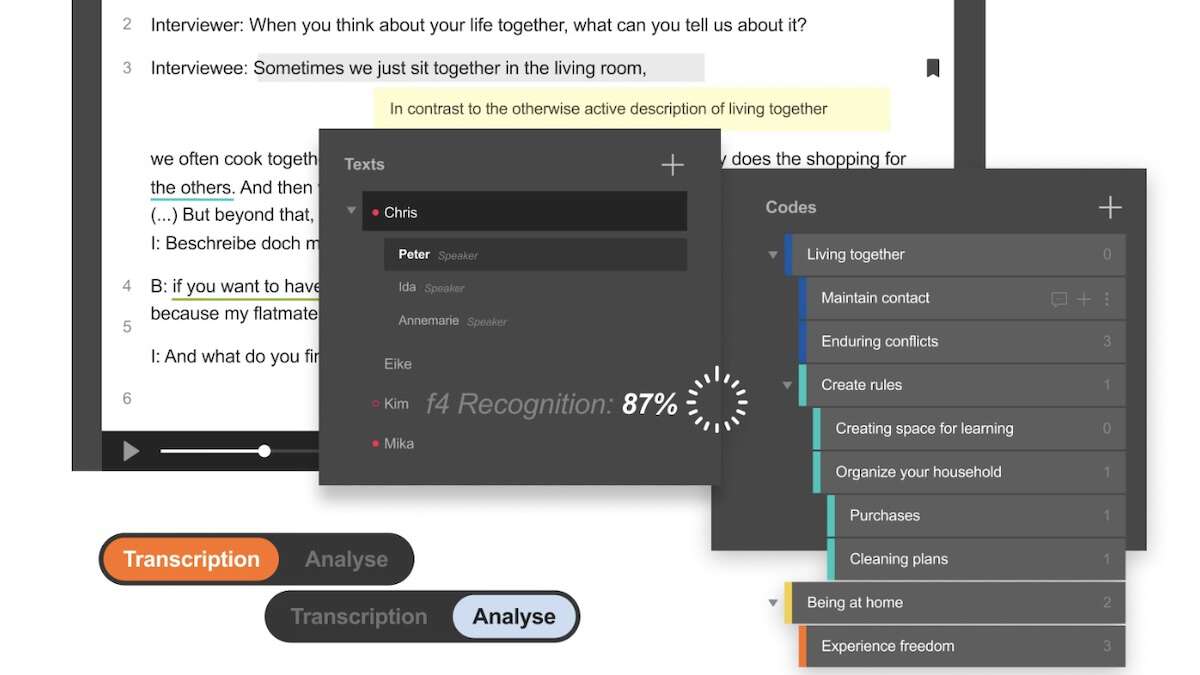
f4transkript and f4analyse are now combined in f4
f4 is a user-friendly tool for transcribing audio and video, and for analyzing qualitative text data (.txt, .rtf, .docx). Its cloud-based add-on features are not approved for use at UiO.
For automatic transcription, we recommend Autotekst. Automatically transcribed text can be imported into f4 for further processing and analysis.
Installation
- f4 is available in UiO Programkiosk, Educloud and TSD (PI can install f4 from Software Center in TSD)
- For installation on UiO machine:
- f4 is available for PC from Software Center and Company Portal
- f4 is available for Mac from macprog.uio.no (with VPN)
- For installation on private machine:
- f4 is available from winprog.uio.no and macprog.uio.no (both with VPN)
Note: version 2024.3.0, 2025.2.11 and 2026.1.3 alle provide access to f4
(i.e., both f4transkript and f4analyse)
Get started
Workflow: Autotekst + f4
- Autotranscribe a media file using UiO’s Autotekst.
- Download the transcription in WebVTT or SRT format to include timestamps.
- Change the file extension from .vtt/.srt to .txt before importing it into f4.
- Refine the transcription within f4.
- Import the transcription, including timestamps.
- Link the transcription to the media file (load media).
- Read and listen through the transcription, making corrections where necessary.
- Analyze the transcription in f4.
- Create codes and apply them to the text.
- You can also add memos (annotations) and notes (comments).
- Finally, you can compare codes, memos, and comments across different files.
See the links to guides and video tutorials below for more information on working with transcriptions and analysis in f4.
Manual and video tutorials
f4 resources include a user-friendly online manual and video tutorials.
Transcription
Analysis
Teamwork: Distribute and merge
CAQDAS
UiO provides access to two CAQDAS (Computer-Assisted Qualitative Data Analysis Software): f4 and NVivo.
f4 or NVivo?
f4 is a lightweight tool for creating and/or editing audio and video transcriptions (e.g. from UiO's Autotekst), and coding and analyzing text data. Accepts only text files (plain text and word documents without illustrations).
- Why f4? Select f4 if you are analyzing transcriptions or simple text files and want to use a coding tool with a quick learning curve.
- If you primarily want to code, annotate, and compare codes and annotations (memos) across files, select f4.
NVivo is a comprehensive software for mixed-method qualitative multimedia data analysis. Accepts many formats.
- Why NVivo? Select NVivo if you are analyzing more than simple text files, including results from surveys (e.g. Excel files from Nettskjema), articles and documents in PDF, pictures, multimedia, and illustrated files. You can import a range of formats, including your Zotero bibliography with full texts and notes.
- If you would like to look at codes across variables and attributes (e.g. informant variables), also select NVivo.
Contact and courses
The University Library offers courses in f4 and NVivo for staff and students at UiO and OUS.