Here we will extract metadata about subject, session, experiment date and time from the folder structures.
Detect Data InformationFill in automatically the subject ID / Session ID from the subfolder information. SubjectID: 2024-12-04_102815_mouseF1
| 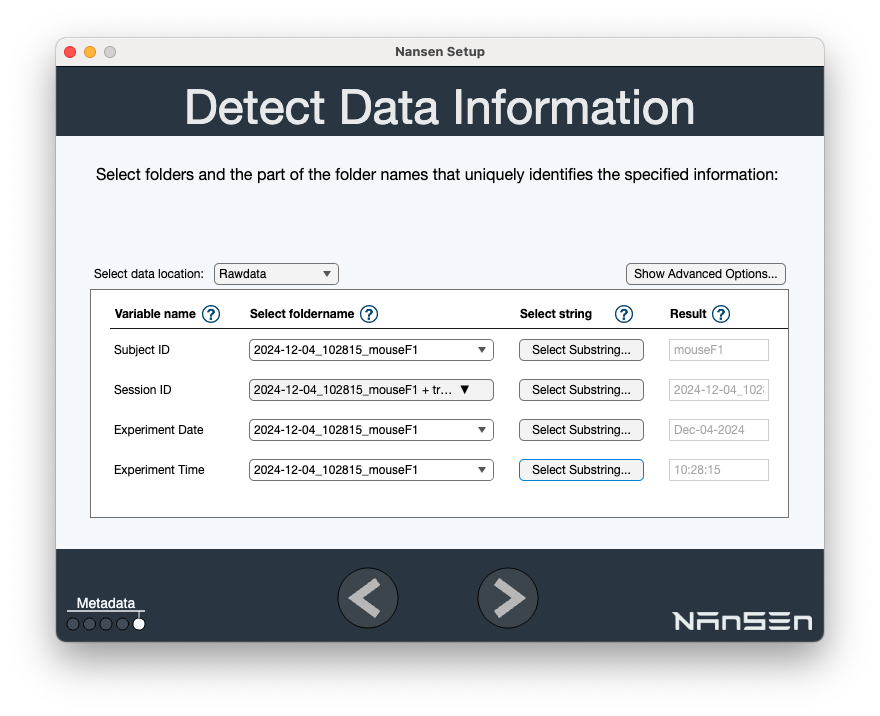 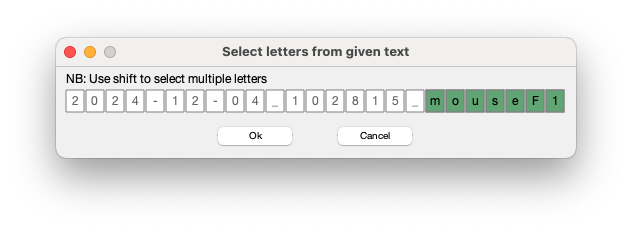 |
SessionID: For sessionID we need to combine the names of subfolders. Select multiple folders…
| 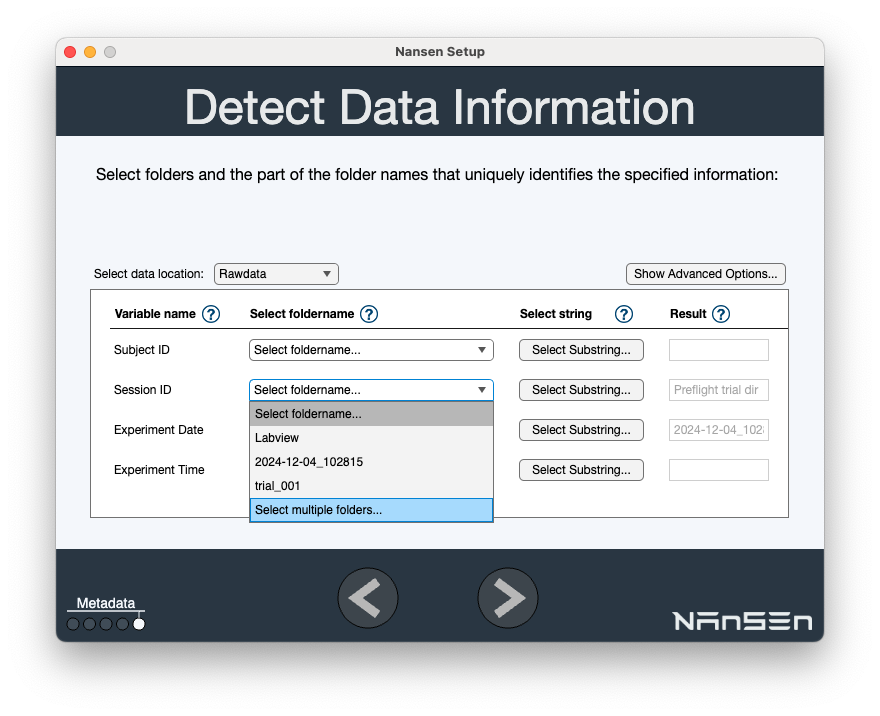 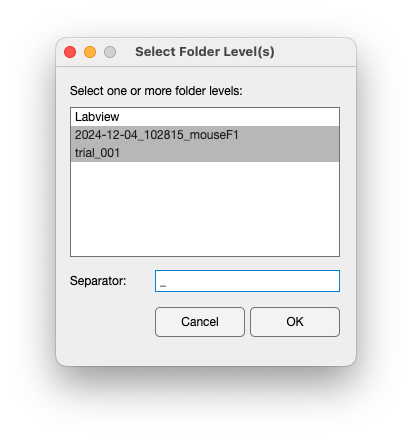 |
Experiment Date: 2024-12-04_102815_mouseF1
Experiment Time: 2024-12-04_102815_mouseF1
| |
You should have filled in as the final image on the right column. Click right arrow. | |
Session TableYou get a list of session in a table
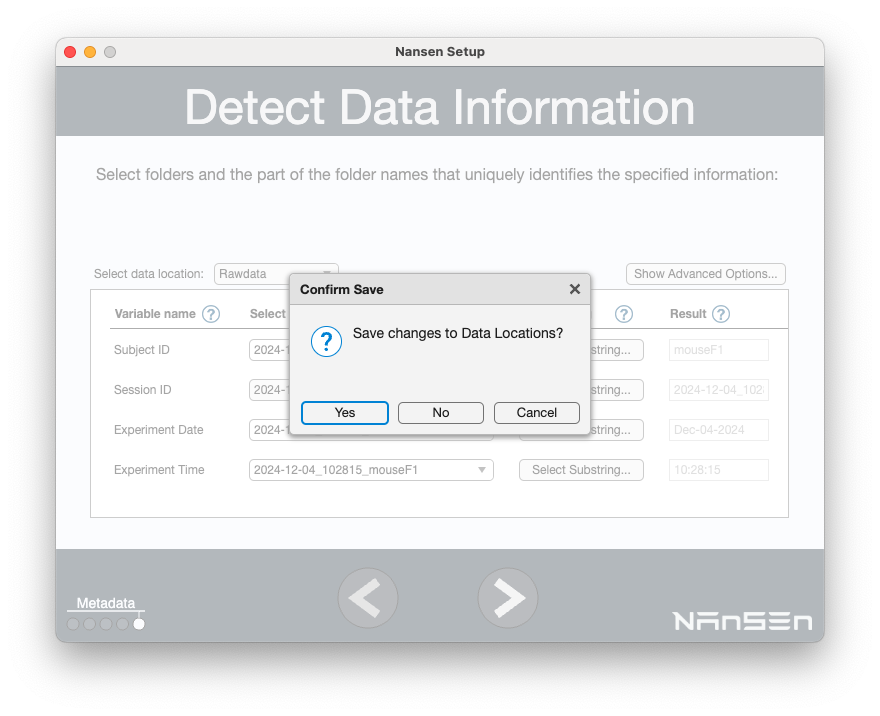
On The Detect Data Information, Save changes to Data Locations. > YES
|   |
Tip: After Saving Data Locations you can recover the Session Table using the command
nansen
or
nansen.ProjectManager()
| < 2. Adding data to the NANSEN project | 4. Find variables of Interest > |