The IT Department is committed to good, safe, and responsible use of AI at UiO. Courses and two sets of guidelines for usage are now being launched. The IT Director recommends that all employees take the course and familiarize themselves with the guidelines.
2026
The Universe is not just an infinity of stars and planets; it is also a gameified learning platform developed at UiO.
Welcome to meetings about how we use, and wish to use, artificial intelligence at UiO. There will be both professional input and time for discussion and questions.
You can now paste or upload red (confidential) data to GPT UiO. This enables new possibilities for research, teaching, and administrative tasks.
Summer is here, and many bring their PC and phone while traveling. Remember to consider security even when you're in vacation mode, and bring along tips for good work if you're going to have a "summer home office".
From 27 April 2026, storing and sharing red (confidential) information in MS365 is permitted at UiO. The prerequisite is that documents containing red data are marked with a sensitivity label.
The option to process red (confidential) information in MS365 applies to administrative data. Red research and teaching data should, as a general rule, not be handled in MS365.
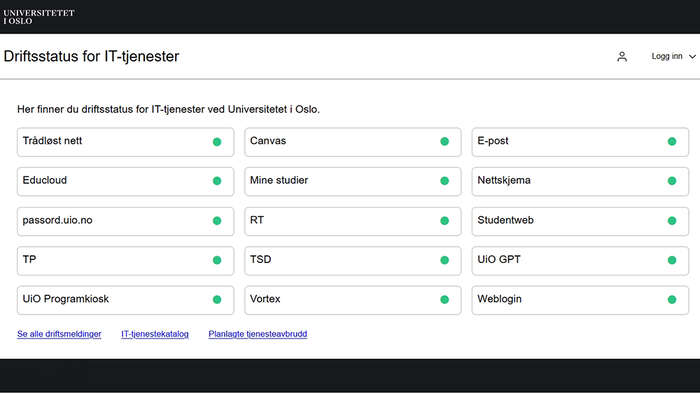
The IT department is launching a new website: status.uio.no. Here, you can easily check if everything is working properly with the central IT services at UiO.
Many people at UiO use Adobe Acrobat Pro via the UiO Program Kiosk to edit PDF files. For security reasons, the use of Adobe Acrobat Pro via the UiO Program Kiosk will be discontinued from April 13th.
Users who do not use Outlook Mobile for email and calendar on their phones or tablets may experience issues with new emails and calendar entries not syncing to their devices.
The University Board at UiO adopted on 10 March 2026 the Master Plan for the University’s IT for the period 2026–2029. The plan builds on successful measures and activities initiated under the framework of the first master plan from 2019. Strategic choices, measures and priorities have been adjusted in light of the status and framework conditions for IT operations in 2026.
After problems occurred with many Windows PCs at UiO on March 4, most of the affected machines are now ready for use again. Here you will find answers to questions frequently asked to IT support in connection with the incident.
4 March 2026 an error occurred in the settings for a security mechanism on Windows machines at UiO. If you are experiencing problems with applications/programs not starting, or that you have a black screen after logging in to the machine, you have been affected by this error. The IT department is working to fix this on the affected machines.
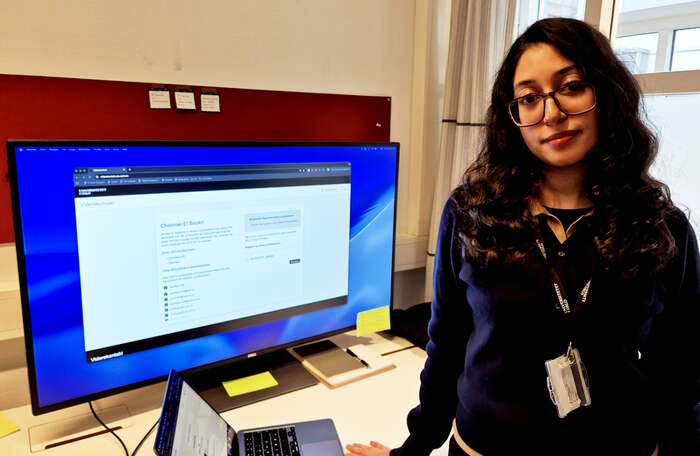
Have you thought about how you can provide your new email address to your contacts if you leave UiO? The IT department has now developed the Viderekontakt application, which sends an automatic reply with your new email address to those who contact you.
Applies only to private computers and telephones and other devices that are not operated by UiO.
From 6 January 2026 there will be an update to the security for the Eduroam wireless network at UiO. If you have incorrect Eduroam settings, you will need to set it up again the next time you change your password — or preferably before.