Reference ID between two forms
- If a form forwards to another form, Reference ID can be used to track which response from the first form belongs together with the response from the second form. To achieve this, forwarding must first be set up, which you can read more about below.
- When forwarding has been set up, the question type Reference ID must be added to the form that is being forwarded to, i.e. the second form.
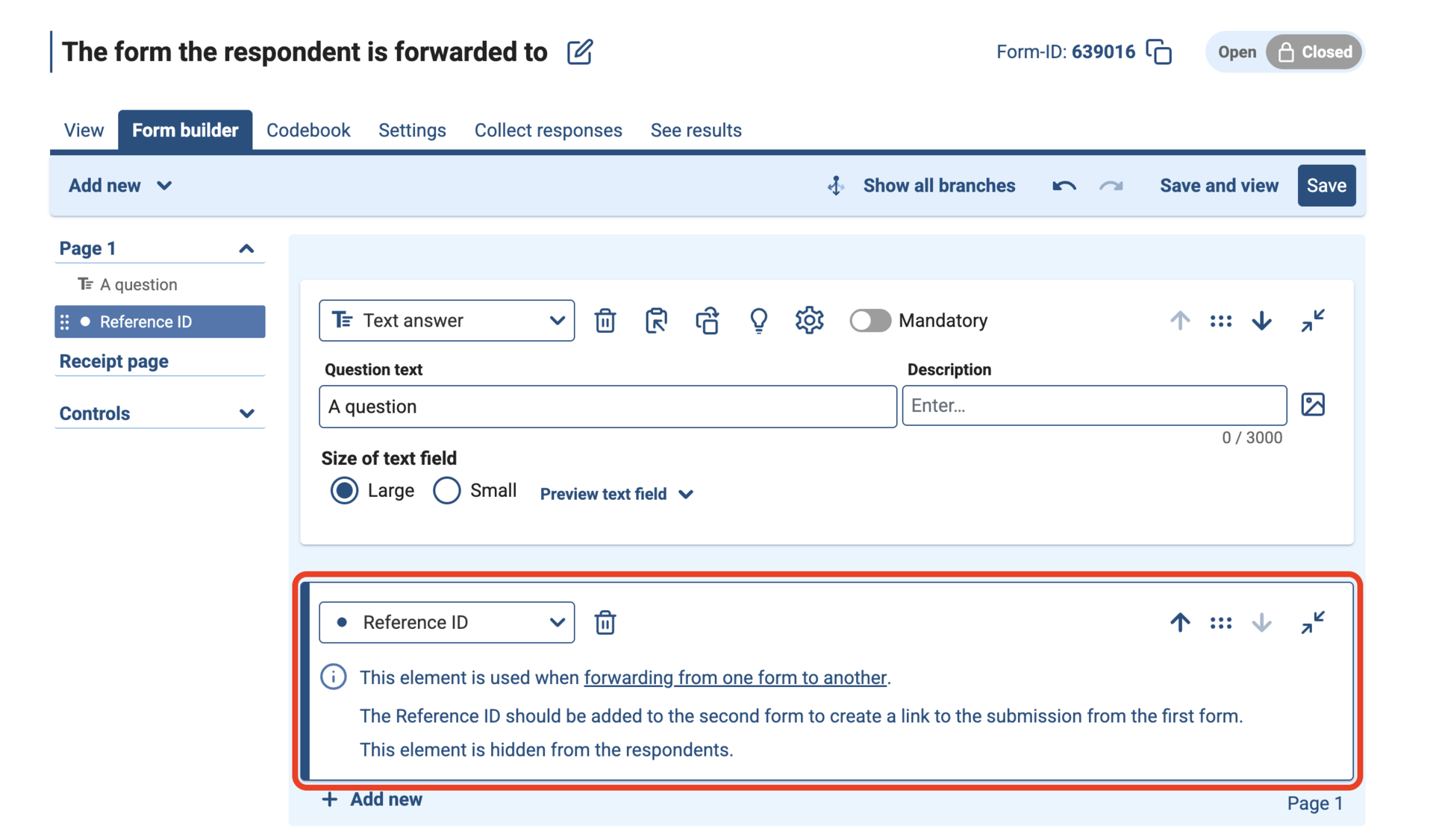
- This question is hidden from respondents, but creates a link to the first form.
How to add Reference ID
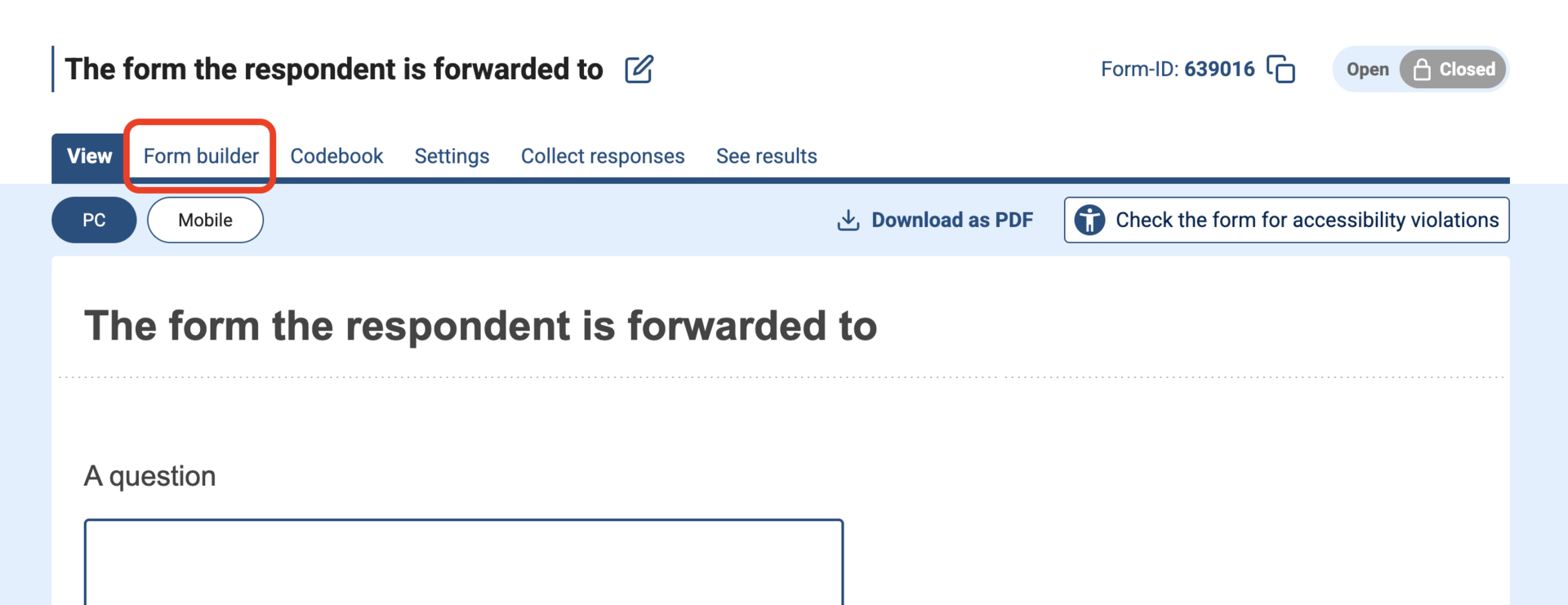
- Navigate to the Nettskjema form you want the respondent to be forwarded to.
Click Form builder
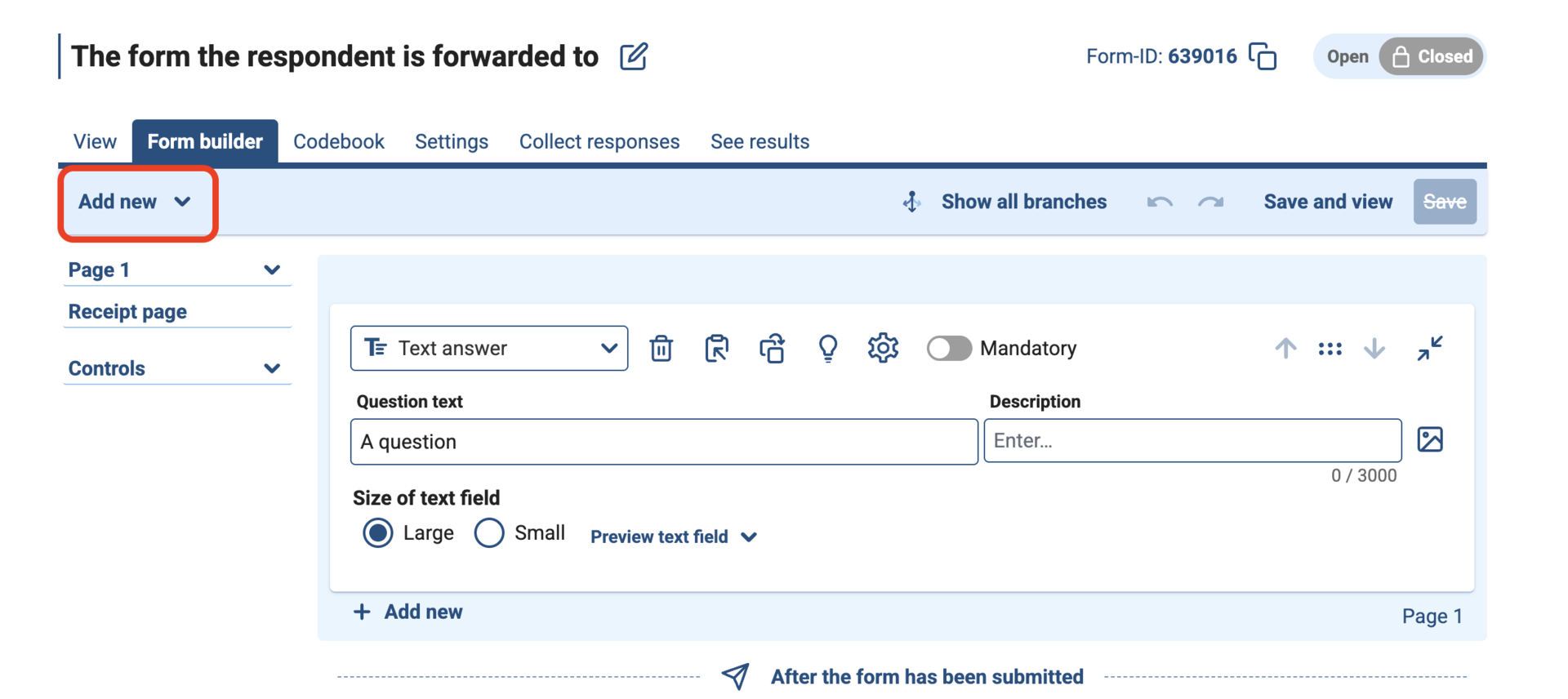
Click Add new
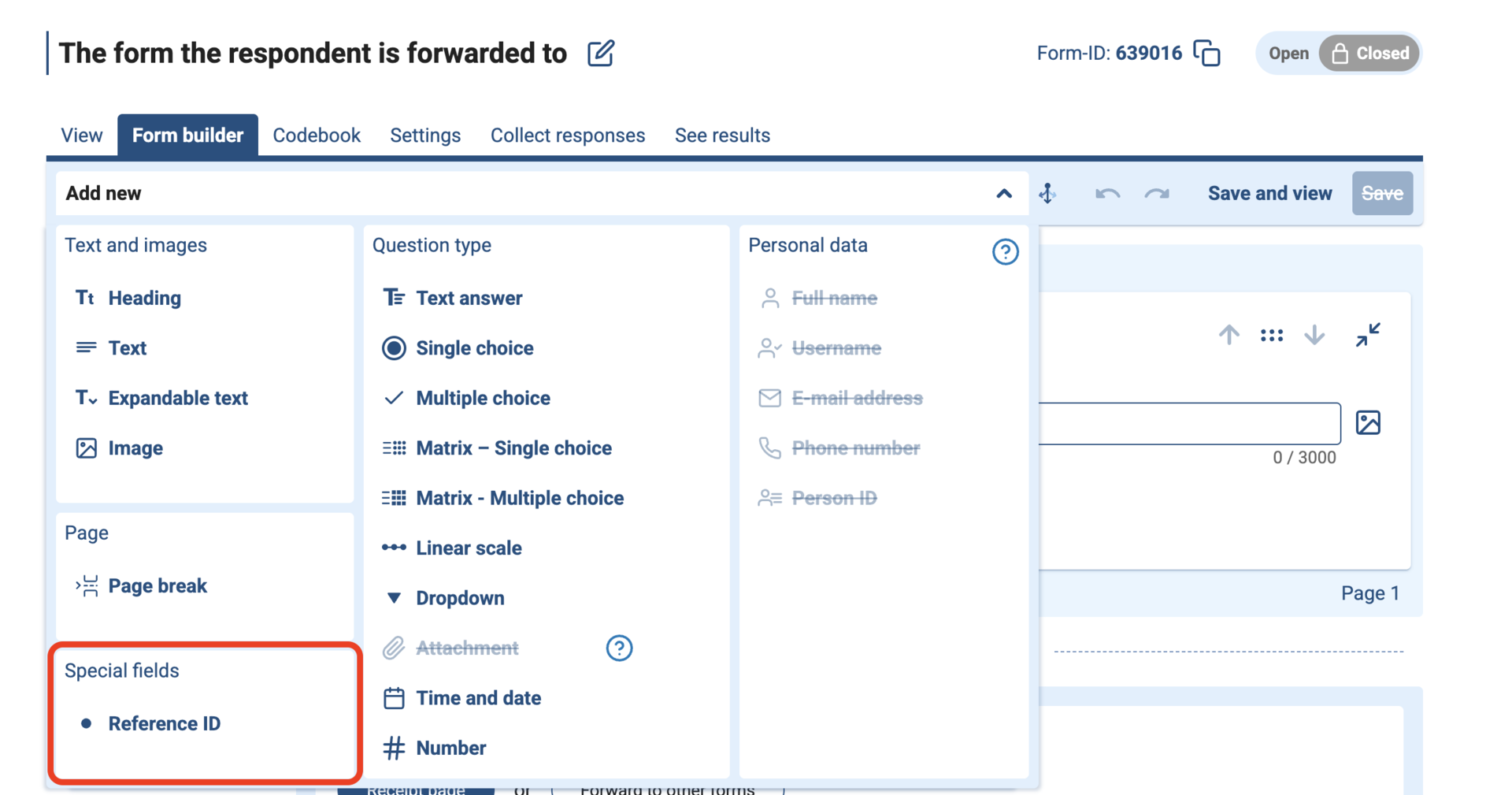
Select Reference ID
This is what it looks like when Reference ID has been added.
Search the user manual
Contact support
Call us
Opening hours are weekdays from 08:30 to 17:00 and Saturdays from 10:00 to 15:00.
Phone number: 22 84 00 04
Book a Zoom meeting
Students and employees can book a Zoom meeting with UiO Helpdesk. Available hours are Tuesday to Thursday between 11:00 and 13:00.
Book a video call
Did you find what you were looking for?